Showing posts with label blogging. Show all posts

Sunday, March 3, 2019

Bounce rate in google analytics | SEO in Hindi

What is bounce rate in google analytics

Agar aap ek blogger hai to aap bounce rate ke baare me bahut aache se jante honge ki What is bounce rate in google analytics? or ise Bounce kaise check karte hain?. Bounce rate Readers or content ke beech me relation btata hai. Bounce Rate kam hone ka matlab hai Readers ka Content ke saath aacha relation. Mtlab readers ko content,Writing style, Post format sb kuch pasand hai. Bounce rate kya hai? 

बाउंस दर एक इंटरनेट मार्केटिंग शब्द है जिसका उपयोग वेब ट्रैफ़िक विश्लेषण में किया जाता है।

bounce rate kya hai
Bounce rate kya hai


Bounce Rate kyu Kam hona chaiye?

Sabhi bloggers hamesha yahi chahte hai ki uske pass - More Content, More Readers, More Comments, More high quality backlinks, More Traffic, More followers and More Clicks and money. 

Ye sab cheeje SEO(Search engine optimization) se he possible hai. Bounce rate bhi SEO ka he part hai.

Bounce rate low ka mtlab hai ki reader blog par kuch time ke liye ruk raha hai. i.e koi visitor aapke blog ke other pages ko bhi open kar rha hai, mtlab aapka blog usko intresting lag raha hai.

  • Low bounce rate means More pageviews.
  • More Pageviews means More comments.
  • More pageviews means more clicks and then more money.
  • More pageviews means more subscribers.
  • To dekha aapne bounce rate kitna importance rakhta hai hamari website ya blog ke liye.


To chaliye ab baat karte hai ki bounce rate kaise kam kiya ja sakta hai.
Bounce meaning in Hindi

Bounce rate kya hai- Kaise kam kare

Bounce rate

Bounce rate kam kaise kare


Speed of Site

Iska mtlab ye hai aapka blog ya website open hone me kitna time leti hai. Site open hone me jitna jyada time lgega utne aapke visitors loss honge or bounce rate iski wajah se bhi jyada ho jata hai. Site ko optimize kare or site speed increase kare. Iske liye aap small size ki images ka use kare taaki site jldi se load ho jaye.

bounce rate in google analytics


Website Design

Design aapki website ka responsive hona chaiye, or UI(user interface) aacha hona chaiye taaki readers ko navigate karne me koi problem na ho or wo other posts ko bhi read kare or aapke blog par more pageviews de. Sabse pahle kisi bhi website ya blog ka design he matter karta hai ki kitna attractive or reading ke liye comfortable hai. Jyada colors ka use na kare jisse readers ko read karne me koi bhi dikkat ho.


Low Quality Content on Blog

Quality of the content bhut matter karta hai kisi bhi blog ke liye. Agar aap 1000 words ke articles write karte hai or wo aachi quality ka nahi hai, kahne ka mtlab ye hai ki aapne bas esi ulta sulta na koi aacha format na koi clear information bas aapne apne words ko increase karne ke liye bade bade articles likh diye. So this is the bad quality content. Content keywords se related likhe taaki aapki post search result me bhi aaye. Title ke according he apne articles likhe. Copy paste wala kaam kabhi na kare.

Tips for reducing bounce rate

Bounce rate kam karne ke advantages


Copy pasted Content

Content kabhi bji kisi other blog ya website ka copy na kare or na he writing fonts milne chaiye. Hamesha khud se he articles likhe isse aapko bhi aacha writing knowledge milega or aap on page SEO bhi aache se seekh payenge. Copy paste content se aapka blog google ban bhi kar sakta hai or aapka adsense approoval to bhool he jao smjho.


Blog Articles writing format

Standard writing format use kare, ya fir khud ka koi format use kare. Jisse readers me writing format aapke blog ki alag pahchan bane. Or har post me apna khud ka uniuque same font format use kare. Bar bar writing format change karne se user confuse ho jaata hai.


Interlinking(Bad or no interlinking)

Blog posts me other posts ko jaroor se link kare. Isse hoga ye ki aapko khud ke blog pe he backlinks mil jayenge or aapne jo articles link kare hai unki value bhi or increase ho jayegi or search result me ane ke chances or bhi increase ho jaate hai. 


Single page Blog or Website

Blog ke post kisi other post se link nahi hai to ese me users next page visit karenge iske chances bahut jyada hai. Ese me jaroori hai page ya fir post ke andar intrested, evergreen post ke link jaroor link kare.

Bounce Rate kya hai

Bounce Rate of Website

Bounce rate Meaning

Bounce Rate Definition


Conclusion

So friends hope aapko samajh me aa gya hoga ki Bounce rate kya hai?, Bounce rate ko kaise kam kare? Yaha jo tips aapko btayi gyi hai unse aapka bounce rate to kam hoga he saath he website ya blog ka bhi SEO ho jayega or SEO matters. SEO aacha hoga to traffic bhi aacha milega.
Read More

Monday, February 25, 2019

Google Adsense - Approval methods in 2019

Gogle Adsense - Approval methods in 2019

Google Adsense approval methods which works in 2021


Google AdSense Approve methods in 2019. Hello friends aaj hum bloggers ke liye specially new bloggers ke liye jinhone haal he me blogging start ki hai ya kuch time se kar rahe hain. Lekin wo apne blog se kuch earn nahi kar pa rahe hain, kyuki unko google adsense approoval nahi mil pa aha hai. So aaj ki is post me hum btane wale hai ki aap kis tarah se easily google adsense approoval le sakte hai, wo bhi kuch normal se work apne blog par karke.


"Google adsense approove tips Hindi me?" Is post me kuch important steps btaye gaye hai jinko gar aap floow karte hai to 100% aapka adsense account approove ho jayega. Agar nahi hua to aap comment me bataye. Sabse pahle to aapko blogging karte time seedhe adsense ke nbaare me nahi soochna hai, aap post likhte rahe or 15 se 20 posts apne blog par daale. Dhyaan rahe ki aap kisi ke articles ko copy na kare, nahi to aapko kabhi bhi adsense approoval nahi mil payega. 


Google adsense approval methods
Adsense approoval Mail by google

Koi bhi image ka use apne blog me kare to seedhe khi se bhi download karke apne blog par na use kare isse bhi copyright strike ati hai or approoval milna to door aapka agar blog already monetize hai to aapka google adsence account he suspend ho jayega.

To chaliye me kuch steps bta raha hu jinko agar aap follow karte hai to sure hai 100% ki aapko adsense approoval milega he milega.

Google AdSense

गूगल एडसेंस से पैसे कैसे कमाए

Google AdSense in Hindi

Google adSense tips

AdSense Approval Method 

1- Create a free blogger Blog with a suitable title.

2- Add a Domain name to your blog like Example.com

3- Add Simple Theme, Template like Iconic one. You can download free themes for blogger from gooyaabitemplates

4- then you have to post 15+ quality Articles on your blog with some Tags.

5- Articles must be 100% unique. Plagiarism free

6- Solution : Go to ezinearticles.com 

7- copy any 25 articles then go to smallseotools.com

8- Rewrite your Articles on small seo tools.

9- After rewriting check plagiarism if it is 100% unique then post it to your blog with any suitable picture. 

10- When you are done with Articles then submit your sitemap in Google webmaster tool.

11- Wait until 5+ pages are indexed, Normally it takes 4,5 days to index.

12-- Traffic: It doesn't matter , If you don't have Traffic no problem. just apply.

13-- Apply now.


Enjoy! #Cheers !


NOTE : Don't forget to add pages like About, Contact, Privacy policy  and Sitemap with any content . 

Agar aap filhaal ke liye domain buy nahi kar sakte hain to aap subdomain blogspot par bhi adsense approoval pa sakte hain. Jaroori nahi hai ki aapko adsense approoval ke liye domain lena he lena hai. But domain ka ye faida hota hai ki aapki site google or other search engines me jaldi rank ho jati hai, or domain ki wajah se aapki site par traffic jyada ane ke chances badh jaate hai. Traffic adsence approoval me koi problem nahi hai. Traffic revenue or more visitors ke liye kaam ata hai. Or aapka blog ya website famous ho jati hai jitne aapke pass visitors honge. 

download royality free images from pixabay
Pixabay Royality free images

Jyada blog traffic ke liye aapko backlinks, SEO ka use karna padta hai. Jab bhi apne blog ke liye backlinks create kare hamesha high DA(Domain Authority) wali websites se he backlinks le. Ho sake to jyada se jyada do follow backlinks create kare. Waise aap no follow backlinks bhi create kar sakte hai lekin do follow backlinks aapki site ko or bhi jyada trustworthy banati hai. Or issee google aapki site or uske articles ko search results me show karta hai or chances ye rahte hai ki aapke article google ke 1st page pe aaye.


Free Websites download Images with no Copyright 


About Us, Contact Us, Privacy Policy and Sitemap pages apne blog par create karna sabse jaroori hai agar aapke blog par aache unique articles hai, traffic bhi jitna kyu na ho sb kuch sahi hai design etc, lekin agar ye sab pages nahi hai to aapko life me kabhi bhi adsense approoval mil he nahi sakta. Kyuki google in pages ki demand karta hai jisse ki blog authentic or genuine lage or users visitors ko blog ke baare m poori detail pata chale or unka data blog par kis type se use kiya jaata hai uska unko privacy policy page m jakar pata chal sake.


Google adsence tips for bloggers


Conclusion

Hope aapko ab apne blog ko adsense approoval karane me koi pareshani nahi honi chaiye. 
"Google AdSense Approval methods in 2019" ye article aapko kaisa laga comment me bataye or adsence approove hone ke baad bataye ki hua ya nahi agar na ho to bhi comment kare, uska bhi solution btaya jayega kyuki bhut baar log choti moti galtiya kar he dete hai jinki wajah se adsense reject kar diya jaata hai.


Read More

Thursday, February 21, 2019

What are Infographics - Hindi Me

<h1> What are Infographics - Hindi me</h1>

Infographics Kya hote hai kaise banaye?


Hello friends aaj ke is article me hum What are infographics? in Hindi or how to create infographics. Agar aapko bhi infographics ke baare me jaanna hai or infographics kaise banate hai iske baare me janna hai to continue is article ko read kare.


Infographics ke Fayde kya hai is article me hum ye bhi janenge ko infographics ke advantages fayde kya hote hai. So let's start.


Aajkal Infographics Internet ki duniya me bahut he popular ho raha hai, iska use bahut si websites or Brands bhi karte hai. Isse aap Popular websites ke liye Infographics bana kar paise(earn money) kama sakte hai. Saral language me baat kare to Infographics kisi information ko Image form me explain karna hota hai, isko banane ke liye Fonts or Images ki jaroorat hoti hai.


infographics kya hote hai


Infographics ek type ki image he hoti hai jo ki kisi information, kisi topic ya kisi ata ko Image me represent kiya jaata hai. Jisse loguse aasaani se samjha ja sake, ise hum Photoshop ya kisi bhi photo editing softwares ya use kar sakte hai.


Algorithm in Hindi?


Infographics Kya hai?


Infographics 2 words se milkar bana hai- Info- Information and Graphics- Visual Images. Iska seedha matlab hai ki kisi jaankaari ya information ko Images ya Pictures ki form me Graphics ki form me dikhaya jaaye. Infographics ki help se aap apni information ko logotak jaldi or aasaani se pahucha ja sake, or isiliye bahut si companies isme intrest dikha rahi hai.


Aajkal bahut se organization or company kisi bhi event ke baare me jaagrukta failane ke liye Infographics ka use kar rahe hai. Social media par iska trend bahut badh gaya hai kyuki iski help se information ko bahut kam time me jyada se jyada logo tak pahuchaya ja sakta hai.


infographics kaise banaye


Infographics jitna attractive hoga utne he log attract honge. Ek Research ke anusaar 80-90% jaankaari jo aapke mind me ati hai wo Visual Content ke kaaran aati hai, isiliye Infographics ek effective medium hai iska use Digital Marketing me kiya ja raha hai ye aapke Business ko badhane me help karega.


How to make infographics - Infographics kaise create kare? 


Infographics banane ke liye aap Online or Offline dono tareeko ka use kar sakte hai. Offline Infographics banane ke liye aapko Photoshop ki aachi knowledge honi chaiye jisse aap Photoshop me jaakar Infographics bana sake, or agar aapko Photoshop nahi aata hai to aap youtube se free me tutorials se aasaani se seekh sakte hai. To chaliye hum aapko kuch online tools ke baare m batate hai-


Canva

To chaliye step by step Canva me infographics me graphics banate hai.


Steps to create Infographics


Step 1: Open Website and Login

Sabse pahle aapko Canva ki website par jana hai canva.com site ko open karne ke baad aapko apne google plus ya facebook account se signup karke login karna hai.


Step 2: Select Template

Ab Canva ka home page open ho jayega usme aapke samne bahut saare Template show honge aapko apni pasand ka Template Select kar lena hai.


Step 3: Delete Text

Ab aapko us template pe default fonts jo kuch bhi hai usko delete karna hai iske liye aapko uspar double click karke select karna hai or phir upar Delete wale Option par jakar Delete Group kar de.


Step 4: Type A Text

Ab aapko apni jaankaari uspar dalna hai jiske liye aapko Text par jana hai or fir Add A Heading par click kar dena hai jisse aapki Image par Text likhne ko show hone lagega jisme aap apni information write kar sakte hai.


Step 5: Change Fonts

Ab aap upar jo Options hai unki help se Font size, Font color, Font Style ko change kar sakte hai.


Step 5: Set Logo

Ab aapko apna logo set karna hai jiske liye aapko upload par jana hai or phir upload a image par click karna hai jisse new window open hoga usme aapko apna Logo select karke OK click karna hai, jisse aapka logo upload ho jayega, ab aap uski position or dimentions set kar sakte hai.


Step 6: Select Image Name

Ab aapko apni Image ko koi name dena hai jiske liye upar Box me koi name select kar le.


Step 7: Download Image

Ab aapki Image poori complate ho gayi hai jise aap Download kar sakte hai. Iske liye Publish par jakar Download Button par click kare ab aapki Image Download ho jayegi. 

Doosra online Infographics Tool hai


Infographics Hindi me


Infogram


Infogram bhi free infographics Tool hai jisme aap Infographics bana sakte hai, isme aap Map, Data, Images or Video ko bhi Add kar sakte hai or save karke download kar sakte hai.


Visual.Ly


Is website par aap Infographics bana sakte hai or sell bhi kar sakte hai.

Conclusion


Hope Infographics se related ye article "what are infographics - hindi me" and Infographics kaise banate hai se aapne kuch seekha hoga ki infographics kaise important hai or aap paise(earn money online) through infographics kaise kar sakte hai.

Read More

Saturday, February 9, 2019

What is web hosting - types of web hosting | Hindi me

What is web hosting - types of web hosting | Hindi me

वेब होस्टिंग क्या होती है? What is web hosting Hindi Me

Web hosting in Hindi, for example kisi bhi object ko store karne ke liye kuch na kuch space ki need hoti hai, same usi type se kisi bhi website ko bhi store karne ke liye space ki need hoti hai. So usi web space ko web server kahte hai or us service ko web hosting kahte hai. To chaliye ab detail me jante hai web hosting hindi me.

Defenition of web hosting: "web hosting is a space where your website is stored on a web server and served online to the users".

How web hosting works 

Hosting service aapki website files ko web servers(hign level computers) par store rakhti hai. Jab koi bhi aapki website ka address ya url apne web browser me type karta hai, tab ye web servers us user ki request ko accecpt karte hue uske computer tak aapki website files ki ek copy send karti hai, as a result user ke device par aapki website open ho jati hai.


web hosting hindi me
Web Hosting in Hindi

Types of Web Hosting

There are many types of web hosting
  • Shared Hosting
  • Virtual Private Server(VPS) Hosting
  • Dedicated Servers Hosting
  • Cloud Hosting
  • Worldpress Hosting

Aapko kis type ki hosting leni chaiye ye aapki ki need par depend karta hai, because har website need alag alag hoti hai in sabhi cheejo ko dhyaan me rakhkar hosting leni chaiye.

Let's talk about different types of Hostings


1. Shared Hosting

For example shared hosting means consider we are in a hostel. Jis type se ek hostel me rooms(space) others ke saath shared rahte hai, same as shared hosting me other users ki websites bhi usi server me hosted rahti hai. Shared server in sabhi websites ko web space, CPU and RAM ko ek saath use karta hai. As a result shared hosting ki cost other hosting plans se kam hoti hai. Startup ke time ya agar budget kam ho to shared hosting he prefer kare.


2.Virtual Private Server Hosting(VPS)

This type of hosting is like as living in a flat. Jaha aap apna main gate sabhi ke saath share karte hai lekoin aapka room sab kuch alag saperate hota hai. VPS Hosting virtualization technique ka use karti hai, jisse ki kisi bhi web server ko different different web servers me divide kiya jata hai. As a result other websites aapke space , CPU and RAM ka use nahi kar paati hai. Ye personal ya privete hosting se bhi jaani jati hai.


3. Dedicated Server Hosting

This type of hosting is having a own banglaw/House. Apne ghar me full control or freedom hota hai or sabhi ghr ke maintenance ki cost bhi khud he uthani padti hai. Dedicated server hosting aapko apne server ka full control provide karti hai, jaha aapko maintinance karne ke liye root access provide kiya jata hai. Dedicated server pe ye aapka personal private server hota hai to security bhut he high hoti hai. Other koi external user server me enter nahi kar sakta hai. Dedicated server hosting me aapko high speed, high security , full control jaise features milte hai. Isme aapko ek large database milta hai aap ek badi e-commerce site big database wali websites ko host kar sakte hai.

4. Cloud Hosting

Cloud hosting present time ka sabse best web hosting way hai. Isme downtime approx zero(0) hai. Isme web hosting provider aapko servers ka ek cluster provide karta hai or aapki files and resources ki copy un servers par bana di jati hai. Agar koi cloud server kisi reason se band hai ya fir mintinance work me hai or service provide nahi kar pa raha hai to aapki website ka whole traffic doosre cloud server par automatically transfer ho jata hai. Iske bhut advantages hai: server fail condition me aapke visitors ki services par koi effect nahi padega, Ye affordable hota hai kyuki aap jin resources ka use karte hai sirf unke liye pay karte hai. Ye VPS se jyada scalable hota hai.


Wordpress le liye hosting kaise le
Wordpress


5. Wordpress Hosting

IT industry me web hosting providers companies bahut saari hai. Esi condition me best web hosting company choose karna thoda tough hai. Lekin aapko kuch cheejo ka dhyaan rakhna hoga.


Before getting web hosting important things to be noted:

Web hosting price, free value added services(jo package ke sath ati hai ), customer support.

Agar aapko is article 'What is Web Hosting' and types of web hosting se related koi bhi questions hai to comment kare. We are here to help you always.
Read More

What are the domain names - domain name system computer networks

Domain name kya hai 

What are the domain names(domain names kya hota hai). Aap jab bhi koi website internet pe search karte honge tab aap ek cheej common jaroor dekhte honge ki jab search results me websites ke peeche se extensions rahte hai. Jaise ki .com, .in, .org, .info etc. Waise to aajkl normally sabhi log domains ke baare me jante hai so is baare m jyada detail me ab baat karte hai ki actual me domain name kya hai or kyu use kiya jaata hai.


Why Domain names are used (Domain name kyu use kiye jaate hai)

As we all knows ki Domains se kisi bhi website ka address juda hota hai, jisse ki wo address hame easily yaad rahta hai. Lekin agar Domain names hote he nahi to fir websites ko search karna thida mushkil hota. For example ab completely samajhte hai ki Domain name kya hai kyu use kiya jaata hai. Koi bhi website jo internet par available hai uska kuch na kuch IP address hota hai jisse ki search engines use find karte hai or hame search results me show karate hai. Har website kisi na kisi server par hosted rahti hai matlab store rahti hai. Jaise ki hum human beings ka koi na koi name hota hai jisse ki hamari pahchan hoti hai. Waise he websites ka bhi koi n koi apna address hota hai jo ki kahi door kisi web server par store rahti hai.


domain name kya hota hai
Domain name system computer networks


Domain name or DNS(Domain Name Server) ek esa system hai jisse ki  kisi website ko ek fixed identity mili rahti hai internet par, or background me wo domain name kisi IP address se linked rahta hai. Ab har website ka different different IP address hota hai so Ip address ko yaad rakhna waise jyada mushkil to nahi hai lekin kuch had tak. Lekin itni saari websites hai ki har kisi ka Ip address yaad rakh paana impossible sa he hai. So isiliye Domain Names ka invention kiya gya, ki websites ko hm normal english name se yaad rakh sake jo ki jyada mushkil nahi hai.
For example: Agar baat kare to facebook, twitter etc socoial media sabhi log use karte hai or sabhi ko inka domain name jaise ki fb.com, twitter.com etc ye easily yaad hai. Lekin agar kaha jaye ki bina domain name k website open karni hai is it possible? Yes this is possible but hame fb.com(facebook.com) ya koi v site ho uska Ip address search karna hoga tabhi ja ke website open hogi, jo ki name dalke search karne me easy hai IP address ke mukable. So that's why Domain names assign kiye gye. 10 or 20 websites ka maximum IP address agar hum yaad kar bhi lete hai lekin sites to itni hai ki sbka yaad rakh paana almost impossible hai. So Domain name ek type se website Ip address ki he 2nd form hai thoda easy way me.


How domain name works(Domain kaise kaam karta hai)


Normally sabhi websites kisi na kisi web server me stored(host) rahti hai and Domain Name us web server ke IP address ko point kiya hota hai. As a result jab bhi aap apne search bar me koi bhi website ka url dalte hai to wo Domain Name ki help se us server ki IP address ko point karta hai, jisse aap us website tak pahuch paate hai.

Types of Domain Name basically Domain names bhut types ke hote hai, lekin kuch bhut he important domain names hote hai or hum isi baare me baat karenge lets see some important domain names.

domain name system computer networks
Domain name system in computer networks


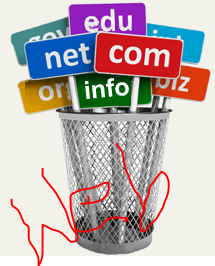
1. TLD - Top Level Domains

Top level Domains(TLD) ko basically Internet Domain Extension ke name se bhi jana jata hai. Ye kisi bhi domain ka last wala part hota hai for example .com, .org etc. In extensions ki help se aap apni website ko rank kar sakte hai. Ye jyada SEO(Search Engine Optimization) friendly hai and Google search engine bhi TLD ko importance deta hai.

Example of Top Level Domains(T.L.D)

  •  .com(commercial)
  •  .org(organization)
  •  .net(network)
  •  .gov(government)
  •  .edu(educational)
  •  .info(information)
  •  .biz(business)
  •  .name(name)


CCTLD - Country Code Top Level Domains

Ye domains basically kisi fixed country ko target karke use kiye jate hai. Ye domain names basically country name based domains hote hai 

For Example
  • .in(India)
  • .us(United States)
  • .ch(Switzerland)
  • .cn(china)
  • .br(brazil)

  How to Install 2 OS in 1 PC -2 OS kaise install kare

 India's top travel Vloggers - India ke top travel Vloggers


Subdomain kya hai

Subdomain name aapke main domain name ka ek part hota hai subdomain ko buy nahi kiya jata hai. Agar aapne koi top level domain buy kar liya hai to ussko Subdomain Name me divide kar sakte hai. i.e. abc.com TLD name hai but ise xyz.abc.com, pqr.rst.com me divide kar sakte hai iska koi charge nahi lagta hai. Aap only English he nahi Hindi me bhi Domain Name buy kar sakte hai abc.भारत


Domain Name or URL me Difference kya

Technically Domain name ek address ka name hai ek part hai internet website ka jise ki "URL"(Uniform Resource Locator) kahte hai. Url bhut saari cheejo ka combination hota hai url contains specific page address, folder name, protocols (http or https).


For Example


Top Domain Name Providers 

Agar aap bhi website banana chahte hai to domain to buy karenge he so yaha kuch domain providers ki list hai jaha se aap apne suitable domain buy kar sakte hai.

  • Bigrock(Indian Company)
  • GoDaddy(US company)
  • Namecheap(Famous for cheap domains)
  • IPage
  • Hosting Raja(Indian Company)
  • Hostgator
  • Google Blogspot 


Note: ICANN(The Internet Corporation For Assigned Names and Number) is an organization who allows these companies to sell domains.


So hope aap sabhi ko "what are the domain names? article pasand aaya hoga or Domain names se related saare doubts clear ho gaye honge or kuch important seekhne ko mila hoga. If you have any doubts related feel free to ask. Thank you and visit again for more knowledge and information.
Read More

Saturday, June 30, 2018

Top 5 travel blogger India | Mumbaikar Nikhil, Varun Vagish and Mountain trekker

Top 5 travel blogger India | Mumbaikar Nikhil, Varun Vagish and Mountain trekker

India's top travel bloggers/vloggers and their monthly income


Namaskaar dosto, Travel India's top Travel Vloggers karna kise pasand nahi hota hai obviously sabhi ko travel karna pasand hota hai new new places par travel karna visit karna har oi chahta hai. Har koi India k saath saath world k har best destination par jana chahta hai, lekin normal life m esa kar pana bhut he mushkil ho jata hai, kyuki esa karne k liye hamare pass money and time dono chaiye hote hai.


But money and time ek saath hona, India m bhut badi baat hai. Yaha par jiske pass money hai lekin time nahi hai or jiske pass time hai uske pass money nahi hai. Ese m agar ap travelling ka shok rakhte hai , to hm esa kya kare ki hamare pass moneuy bhi ho or time bhi, ytaaki hm India k Best Summer Travel Destination k saath saath poori duniya ghoom paaye.


Agar hame Travelling Passion ko follow karna hai to hamare liye Social media Important role play kar sakte hai or ek Popular Travel Vlogger bana sakte hai. Hum yaha par iske baare m baat karne wale hai ki...


top 10 travel bloggers India
Travel bloogers India


How to become a famous travel vlogger?

Vlogger ek esa word hai jisse bhut loh familier nahi hai, isliye pahle samajh lete hai ki vlogger hota kya hai meaning of vlogger...

Vlogger kya hai? What are Vloggers?

Vlogger 2 words se milkar bana hai, V means "Video" and thr second one word isme chipa hai wo hai "Blogger" ye ek Video Blog se banaya gya hai jiska mtlb hota hai Video Blogging karne wala person(he/she)


"Har ek Vlogger, Youtuber ho sakte hai lekin har ek Youtuber, Vlogger nahi ho sakte"


Vlogging ka meaning hai Videos k medium se kisi place/jagah ko explore karna or Vlogging ki category m Travel Vlog sabse Strong Strategy hai, kyuki iske madhyam se Vlogger kisi place k baare m video banakar apna self experience share karta hai, jo ki kisi doosre Traveler k liye Bhut helpful hota hai. India m bhut saare ese Travel Vloggers hai jo ki videos k madhyam/medium se apna experience share karte hai logo ki help karte hai apna passion follow karte hai or aachi money bhi earn karte hai.

Iam talkinng about some "Top Travel bloggers" who earns money estimated as follows lets explore the Top Travel Vloggers

Varun Vagish inke Vlog ka name hai Mountain trekker or inke pass 300K plus active subscribers hai. ere hisaab se ye sabse Best India Travel Vlogger hai or agar aap kisi bhi country mTravel karna chahte hai to aap is Vlog ko Youtube par dekh sakte hai, or jaroor dekhe aapko thoda experience ho jayega.


Best Travel Vloggers In India

Mountain Trekker m aapko kisi bhi place k baare m sabse Best Vlog dekhne ko milega or Current Time m Varun Vagish's Monthly Income according to Social Blade is $793 to $1200 plus. According to DD news "Varun Vagish"  are the Best Vlogger of India in present time.


"Mumbaikar Nikhil" k baare m bhut saare log jante he hai , aapme se bhut se readers bhi Mumbaikar Nikhil k subscribers bhi honge. Jinke 1,349,461 subscribers hai or is time Mumbaiker Nikhil's monthly income is $4k to $50k.

Travel Vlogger banne k liye kya karna hoga? What to do for becoming a Travel Vlogger?


Aache aache travel destinations par jana sabko pasand hai lekin sabhi "travel" karne k liye passionate nahi hote hai, lekin kuch log ese bhi hai jo hameshha Travel karna chahte hai or New Places dekhna chahte hai or unke baare m jaanna chahte hai. Unke pass Travelling ko lekar ek passion junoon hota hai jaisa ki Ranbeer Kapoor ko "Ye Jawani Hai Deewani" Movie m tha. Lekin ye jaroori nahi ki aap  Job and School/College ko leave karke Travel karne lage, kyuki kisi bhi kaam ko karne se pahle hame ek plan banana hota hai or ek Balance rakhna hota hai kaam or Passion k beech me.

Basic Requirements to become a "Travel Vlogger"

1. Travel Vlog Start karne k liye hame 1 Camera chaiye hoga jisse ki hm video shoot karenge, or isme video quality matter karta hai, agar aapke pass koi Best Camera Smartphone(Redmi/Oppo/Vivo/Oneplus)hai tab bhi bhut aachi videos bana sakte hai.

2. Iske saath kuch Basic Youtube and Video editing equipments ki need hogi jo ki hame online mil jayenge. Aap amazon, filpkart ya fir kisi other online shopping websites se jha aapko aachi deal mile wha se purchase kar sakte hai,


top travel blogger India
Travel vloggers India


Agar aapke pass ye sabhi cheeje pahle se he hai ya buy    kar liye hai, to aap sabse pahle apne Vlog ka Unique name    select kare jo ki read karne m aasaaan ho or Travelling se    Related lage, uske baaad apna ek Youtube Channel create    kar leor saath he sabhi "Social Media" jaise ki  facebook,      instagram, twitter par account Page Setup kare.


Iske baad aap Vlog banana Start kare, Vlog banane k liye jaroori nahi ki aap kabhi ghoomne jaye tabhi bana sakte hai. Aap apne City se iski starting kar sakte hai or apne City k  Best Places k baare m Explore kar sakte hai.

Starting m jab aapko Office or School/College se Free Time mile to aap different-different Travelling Destinations par jaakar waha k Vlog bana sakte hai or Vlog ko esa banaye ki agar us Video ko dekhe to use pata chal sake ki us jagah kaise jane hai or us place ki Best Places kon-kon si hai or kitne Price m us place m rahne k liye kaafi honge.


Jab hamara Vlog Youtube k saath-saath sabhi Social Media par image bna le or log hame ek Travel Vlogger k roop m pahchanne lage to hame Google Adsense or Sponsorship k medium se kuch Income hone lage to hame apne Passion ko Profession bana sakte hai or Travelling Destination ko Grow kar sakte hai. Friends, Travel Vlogging apne Passion ko ek Profession tak le ja sakta hai or aapko ek Polular Tavel Vlogger bana sakta hai. Lekin iske liye aapko concentrate karna hoga or Patience rakhna hoga or kaam karte rahna hoga. Present Time Competition jaroor hai lekin agar aap Passion k saath kaam karte rahe or useful vlogs create karte rahe to aapko sucess jaroor milegi or Varun Vagish and Mumbaikar Nikhil ki tarah Popular jaroor honge. Travel Vlogging k baare m aapka kya idea hai ,iske baare m comments m jaroor bataye.

Related Searches

Travel Vloggers, Travel vloggers of India, Top Travel Vloggers of India, Mumbaikar Nikhil, Varun Vagish, Vlogging, Vlogs, Travel, Travelling, Travel Quotes, Traveller, Travel Vloggers India, Travel Vloggers Income, Top Vlogs Youtube, Laddakh Vlogs, Himanchal Vlogs, Manali Vlogs
Read More